
Biletico
MEDIA KIT

Biletico Media Kit

Our logos and an image guide for event organizers. On the site every image fills its area with no empty space; the sizes below give the best result. Keep important elements (event title, characters, logos) inside the safe area.

Logos

Biletico Logo

Biletico Logo

Color logo: for use on turquoise and dark backgrounds.

Download
Biletico White Logo

Biletico White Logo

Single-color white logo: for use on photos and dark backgrounds.

Download

Event images

Each event needs at least a poster and a showcase banner; the card and share images are optional. Each image is used in a different area of the site; when one is missing, the others are cropped to replace it. The recommended sizes give the cleanest result; images with close ratios are accepted too and are cropped at the edges to fill the area.

Image 1 · Portrait poster

Poster

Download template
Recommended size
1080 × 1620 px
Ratio
2:3 portrait
Text
Event name and logo allowed (large type).
File
JPG / PNG / WebP · 5 MB
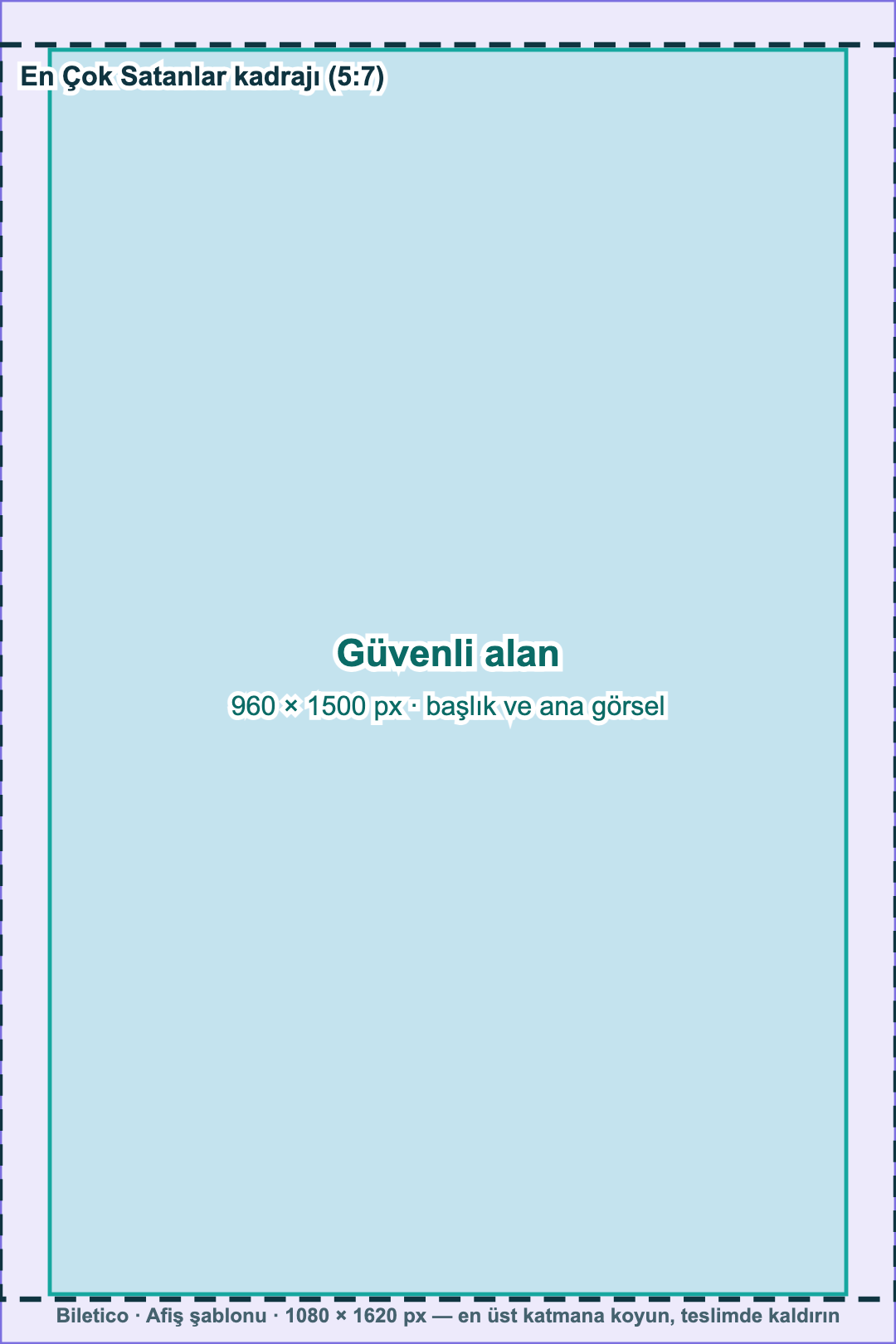
Safe area960 × 1500 px · title and main imageBest Sellers crop (5:7)1080 px1620 px

Where it is used

  • Event page and ticket purchase page (left column)
  • Home page · Best Sellers

Things to keep in mind

  • Accepted ratio: between 2:3 and 3:4 portrait; at least 600 × 800 px. The poster area is always filled; a different ratio is cropped at the edges.
  • Keep the event name and main image at least 60 px in from the edges.
  • Do not add small text such as credits or sponsor lists; in lists the poster shrinks to 140 px wide and becomes unreadable.
  • In the Best Sellers area, the poster is cropped by 54 px at the top and bottom.

How it looks on the site

Ticket page

1
2
3

Best Sellers: 5:7, cropped at the top and bottom

Image 3 · List card

Card Image

Download template
Recommended size
1600 × 1000 px
Ratio
16:10 landscape
Text
Event name only, large type.
File
JPG / PNG / WebP · 5 MB
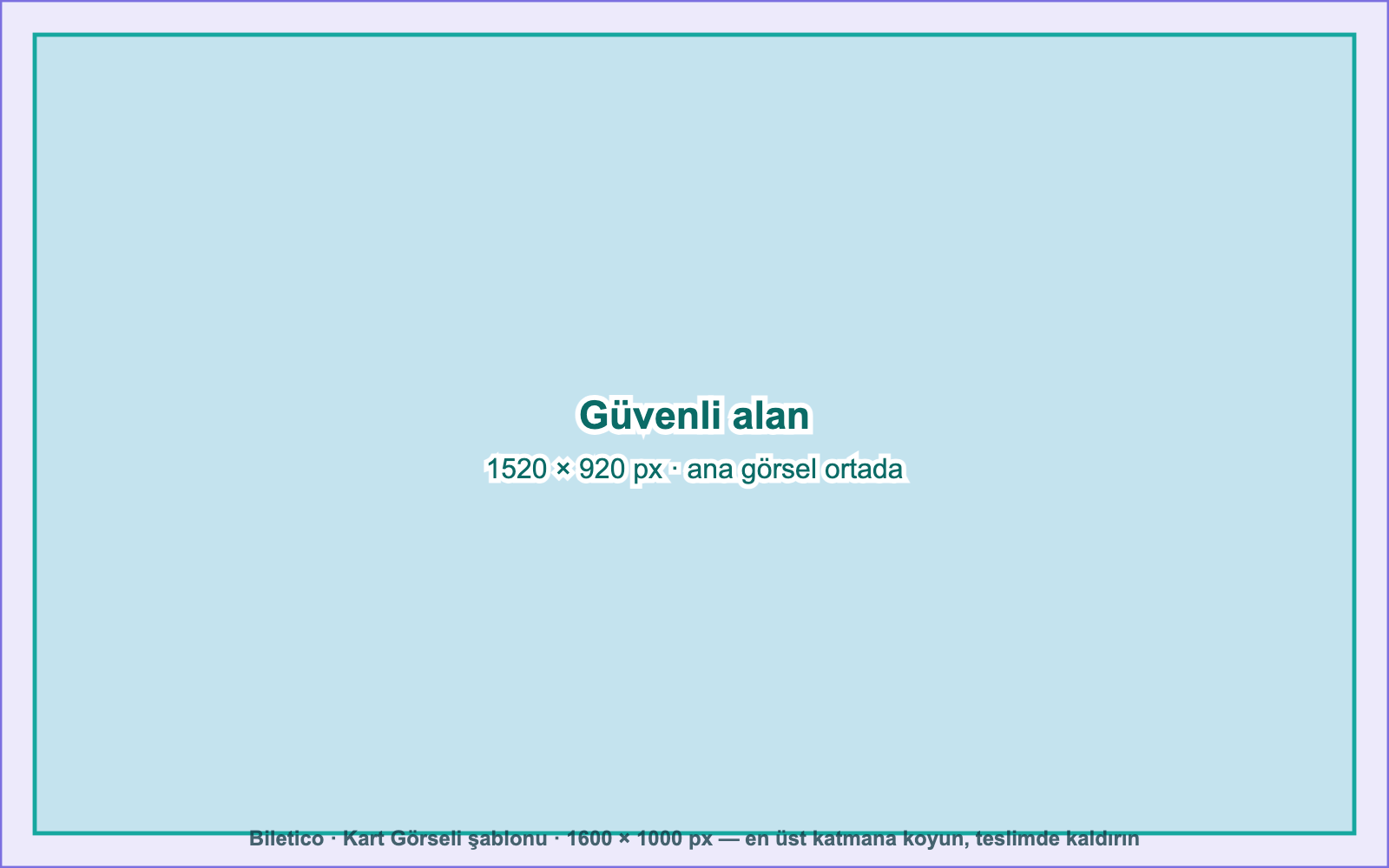
Safe area1520 × 920 px · main image centered1600 px1000 px

Where it is used

  • Event cards (home page, category, city, search, What should we do today?)
  • Search suggestions, My Tickets

Things to keep in mind

  • Nothing is placed on top of the image; category, seating type and price appear in the card frame. You can use the whole image.
  • The image zooms in slightly on hover; stay 40 px in from the edges.
  • On mobile the card appears about 170 px wide; if you add text, make the letter height at least 100 px.
  • Keep the main image centered.

How it looks on the site

TheatreSeated
250 ₺Buy Tickets

Nothing is placed on top of the image

Image 4 · Social preview

Share Image

Download template
Recommended size
1200 × 630 px
Ratio
1.91:1 landscape
Text
Event name allowed.
File
JPG / PNG / WebP · 5 MB
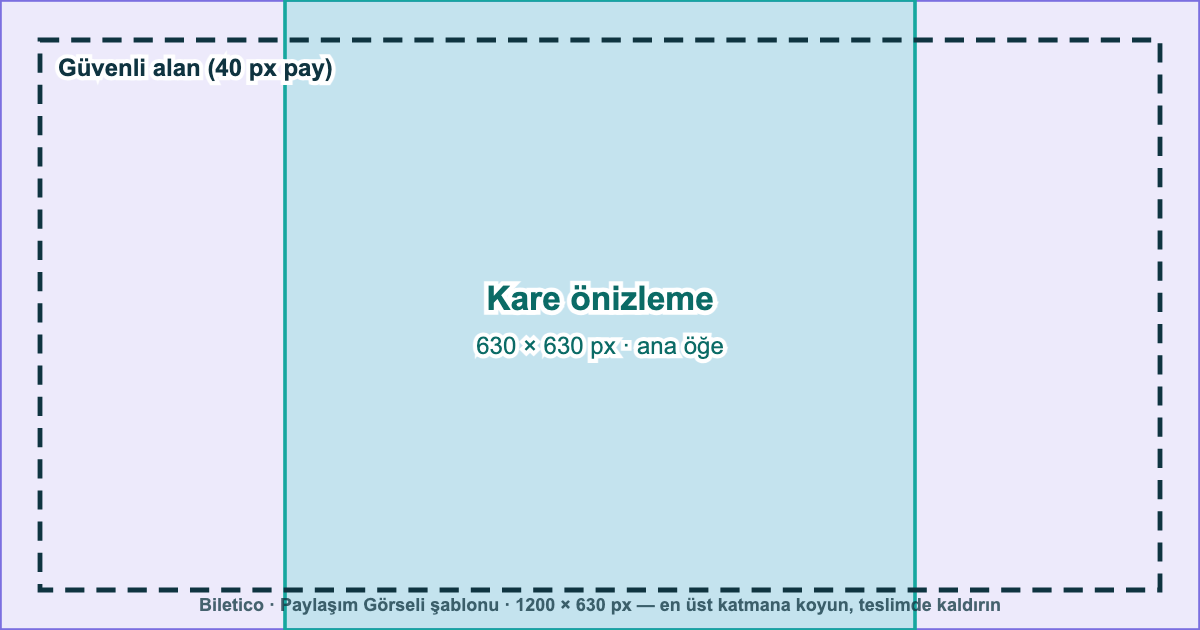
Square preview630 × 630 px · main elementSafe area (40 px margin)1200 px630 px

Where it is used

  • The preview shown when the event link is shared on WhatsApp, Instagram, Facebook or X

Things to keep in mind

  • Some apps (e.g. WhatsApp's small preview) show only the center square; keep the main element in the central 630 × 630 px area.
  • Leave a 40 px margin from the edges.

How it looks on the site

Large preview

Small preview: the center square

Image 5 · Campaign visual

Home Page Banner

Download template
Recommended size
2400 × 1000 px
Ratio
12:5 landscape
Text
Text, logo and button artwork allowed (inside the safe area).
File
JPG / PNG / WebP · 5 MB
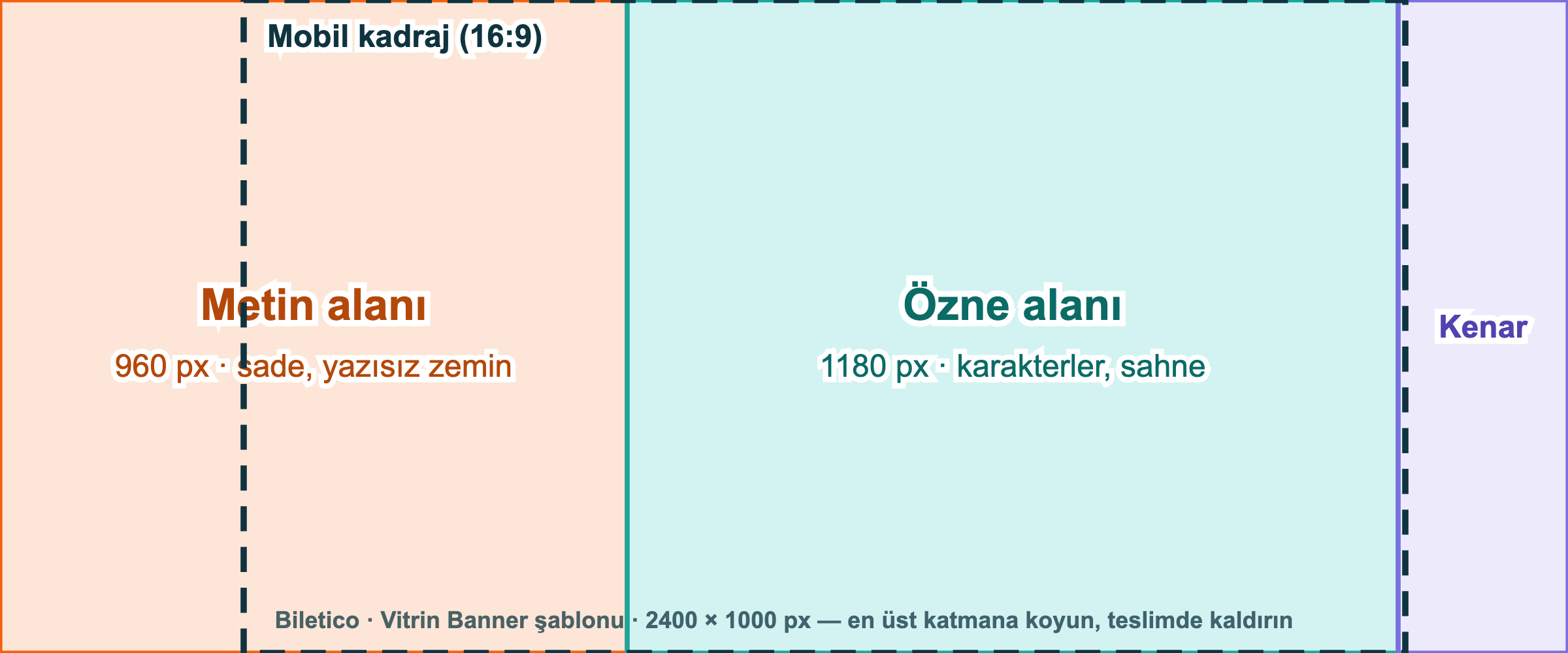
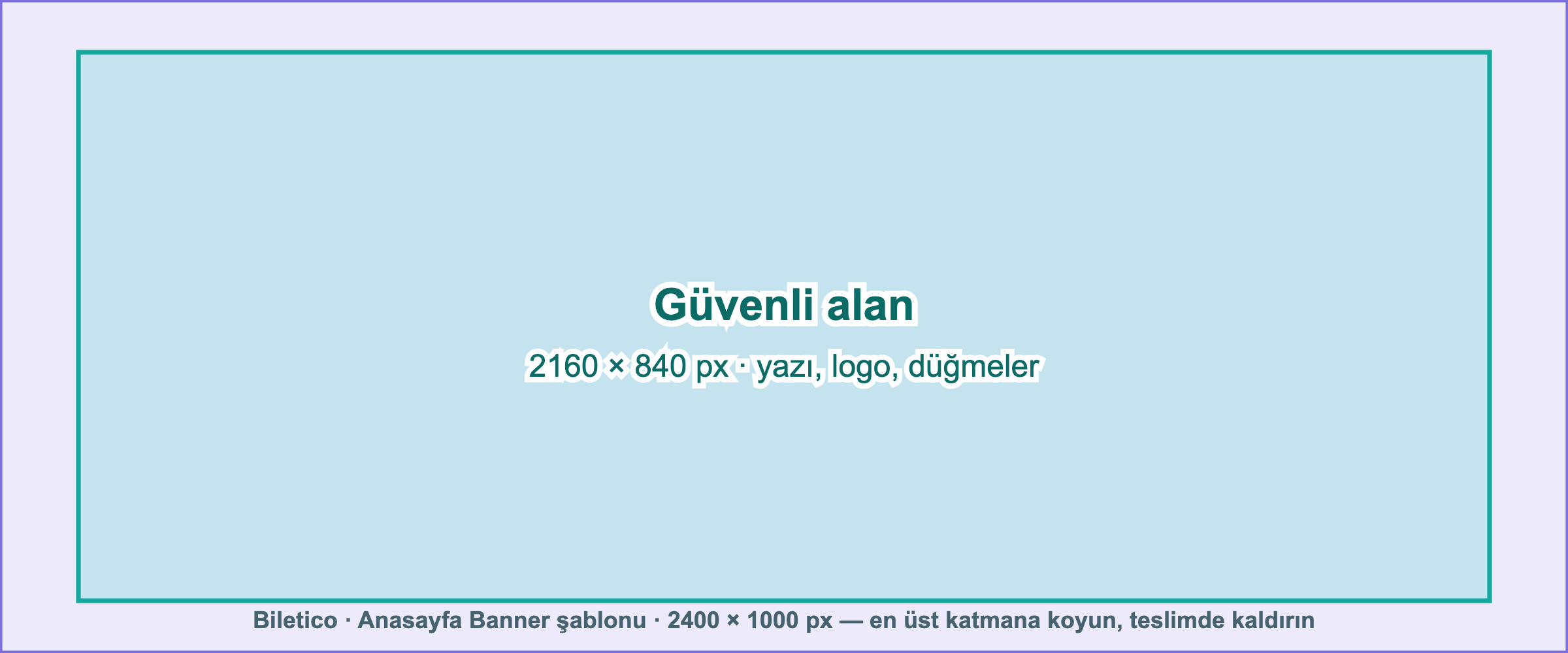
Safe area2160 × 840 px · text, logo, buttons2400 px1000 px

Where it is used

  • Home page large banner (full image; the site adds nothing on top)

Things to keep in mind

  • The whole image is shown; text, logo and button artwork may be part of the image.
  • Keep all text, the logo and buttons inside the central 2160 × 840 px safe area: leave 120 px at the sides and 80 px at the top and bottom.
  • Corners are rounded and narrow tablet screens may crop up to 90 px at the sides; keep only background in these margins.
  • On mobile it is also shown at 12:5, scaled down: text must be large enough to read on a small screen.
  • The whole image is one link (e.g. the What to do today? page); buttons drawn in the image are not separately clickable.

How it looks on the site

Desktop: shown in full (12:5)

Mobile: 12:5, scaled down

Text area: plain background, site information goes on topSubject / safe area: the main element goes hereEdge margin: may be croppedBadge areaCrop frame: anything outside this area is cropped

General rules

Send

  • JPG, PNG or WebP; up to 5 MB per file
  • RGB (sRGB) color profile; do not send CMYK files prepared for print
  • Use the recommended sizes; close ratios are accepted too: poster between 2:3 and 3:4 portrait (at least 600 × 800 px), showcase banner about 2.2:1 to 2.8:1 landscape (at least 1600 px wide). Images outside this range are cropped or adapted with AI in the panel.
  • Parents' permission must have been obtained for any children shown in the image
  • Logos of the organizer, producer, theatre company, artist, venue and sponsors may be used.

Should not appear in the image

  • Any ticketing platform's logo, name, web address, app name or a QR code pointing to such a platform
  • Date, time, price, QR code, phone number or web address (the image becomes outdated when sessions change; the site shows this information)
  • Logos of political parties, associations or unrelated organizations
  • Low-resolution, blurry or watermarked images

Image check

Every event image uploaded in the panel is checked automatically. If the image shows a ticketing platform's logo, name, web address or QR code, you will be asked to replace it. If you think the check is wrong, you can dispute it in the panel; Biletico reviews the image when approving the request. Logos of the organizer, producer, venue and sponsors do not affect this check.

You can send your images and questions to [email protected]